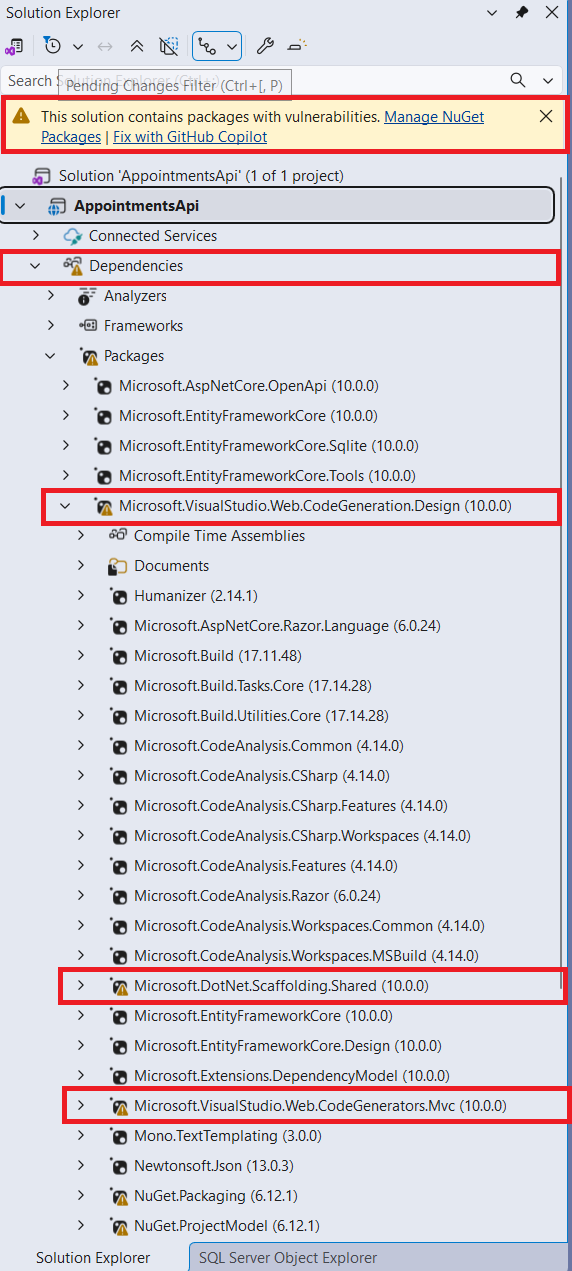
In the first project I did with ASP.Net Core version 1 back in 2015, Microsoft’s total rewrite from the ground up of ASP.Net full framework, one of the most aggravating kinks in the Visual Studio IDE was that nuget packages would often have an exclamation mark icon to the left of the package. This would roll up with the same icon next to the Packages and Dependencies virtual folders as shown in the featured image of this article. This was in Visual Studio 2015 (ASP.NET 5 – pre-release) and Visual Studio 2016 (ASP.NET Core 1.0 – official release). This nagging problem seemed to be fixed in ASP.Net Core 2 and I never noticed it again until recently in the new Visual Studio 2026 IDE using ASP.Net Core 10. This has happened in multiple projects for me now and the culprit usually seems to be the Microsoft.VisualStudio.WebCodeGeneration.Design package which is included in several ASP.Net Core project templates
In this article we will look at some of the ways to get to the bottom of this issue and clean up our nuget packages and dependencies restoring our Visual Studio project to a clean state.